<aside> ⚡
With the Actions Register you can:
The Actions Register is a single, filterable view of every action created across hazards, incidents, NCRs and asset faults. All updates — progressing status, attaching evidence, completing the action — happen on the parent item, opened via the View details button on each row. The register refreshes automatically once the parent is updated.
<aside> 👤
Who does this: Anyone with Safety module access — most useful for Safety Managers and Category Leaders running weekly action reviews.
</aside>
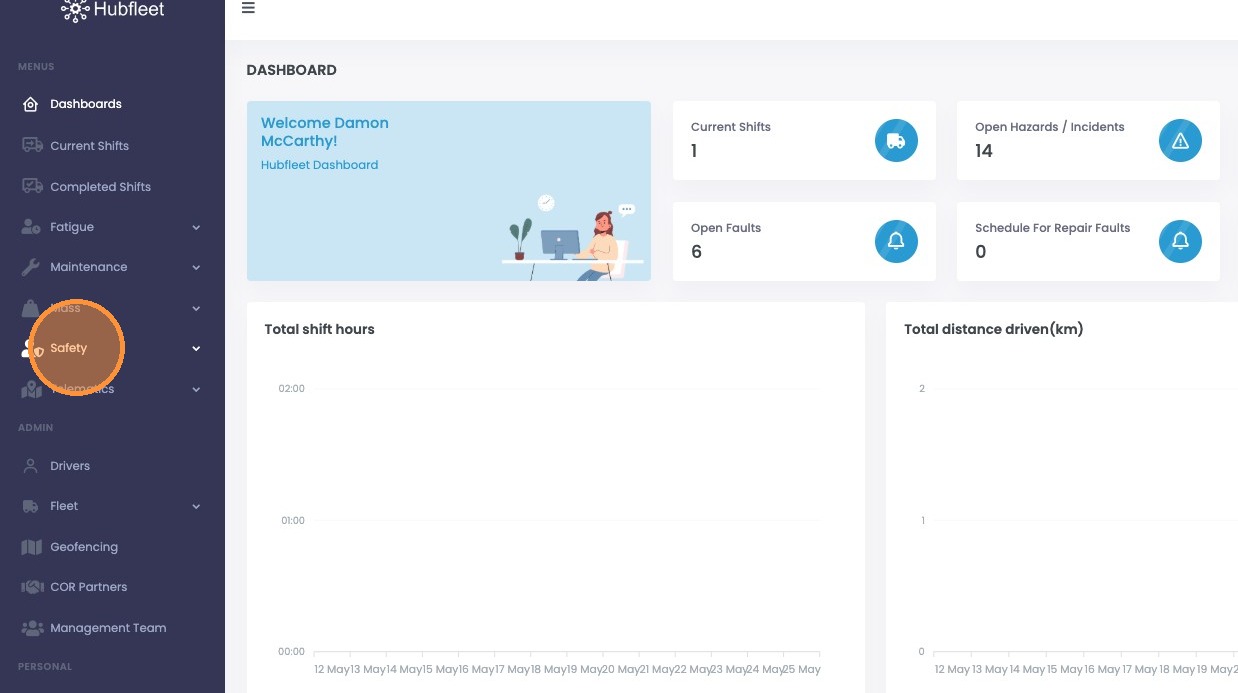
From the dashboard, click Safety.
Click Safety in the sidebar
The Actions Register opens with every action raised across hazards, incidents, NCRs and asset faults.
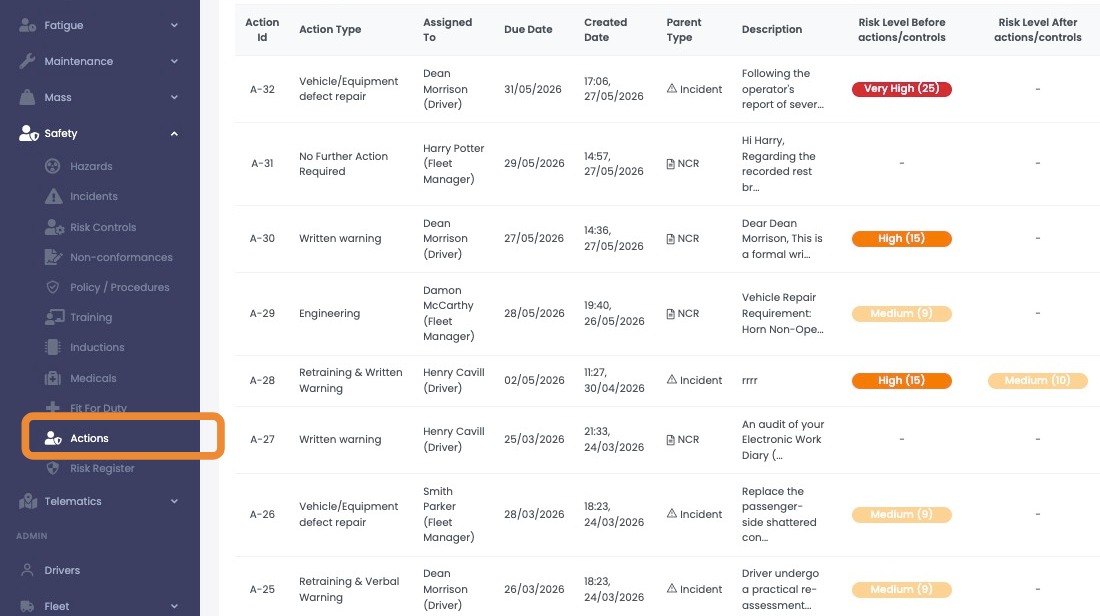
The Actions Register page
Use the filters above the table to narrow what's shown. You can also sort the table by clicking any column header.
Filter by Date Range.
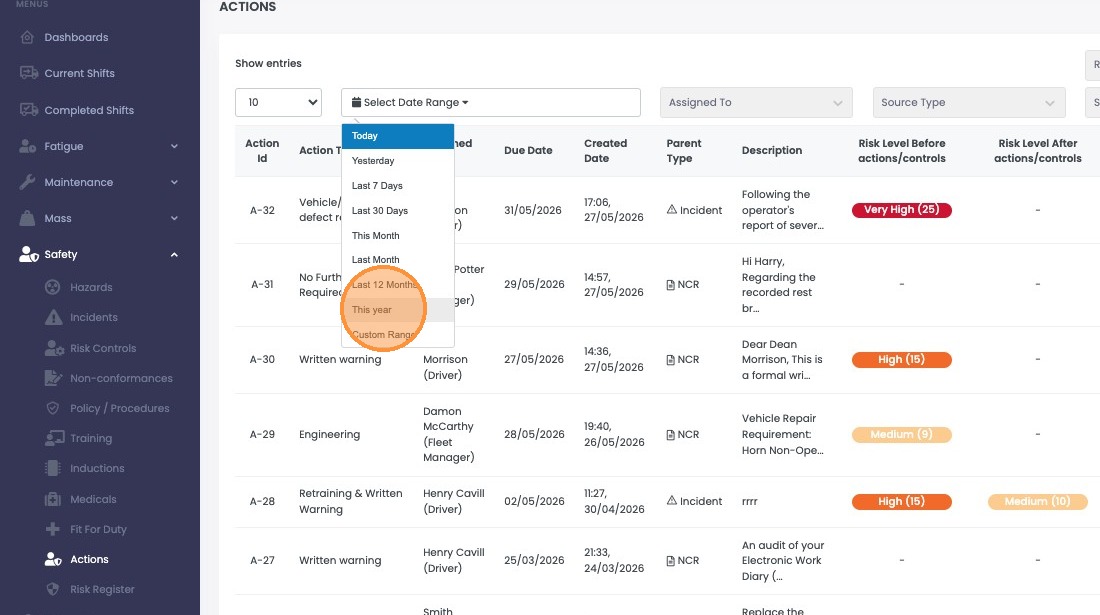
Filter by Date Range
Filter by Assigned To.

Filter by Assigned To
Filter by Source Type — Hazard, Incident, NCR or Fault.

Filter by Source Type
Filter by Status — for example, Open / Awaiting, Closed / Accepted, Closed / Declined, Completed.