<aside>
✅
Reject a Fault when a reported issue is a duplicate, incorrect, or cannot be reproduced, keeping your fault management clean and efficient.
- Maintain accuracy: Remove false positives and duplicates from your active fault queue
- Track decisions: Record rejection reasons and edit them later if needed
- Improve reporting: Build a history that helps identify common misreports or training needs
</aside>
Overview
- Close and reject a fault
- Select a rejection reason
- View rejection history
- Edit rejection information
Close and reject a fault
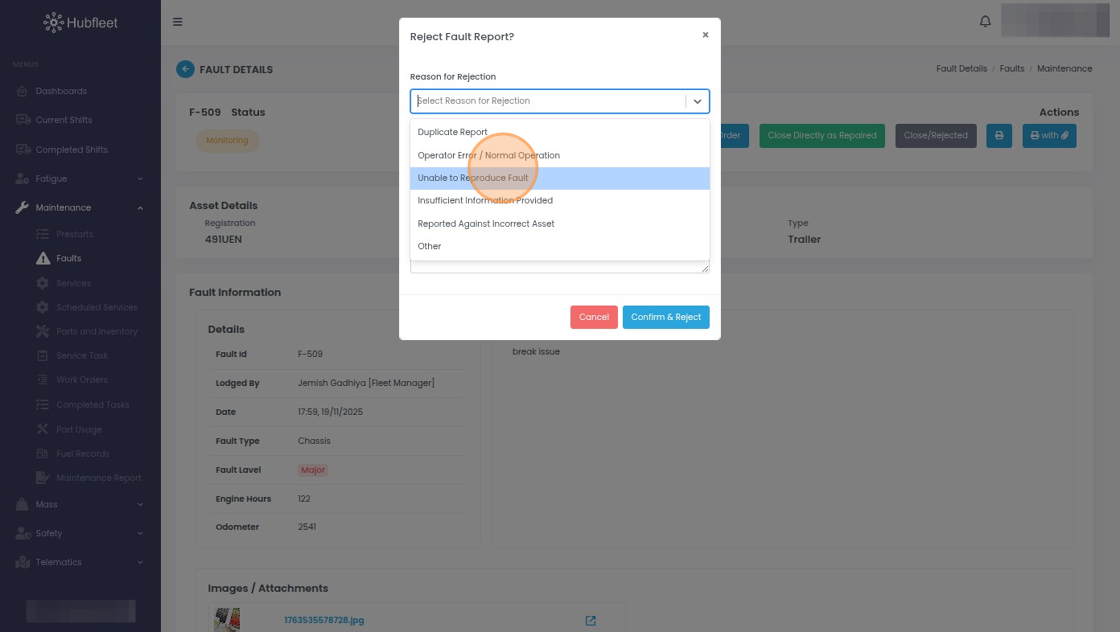
Click Close/Rejected

Select Reason for Rejection. The pulldown list of rejection reasons can be configured from the Config section by an account Owner.

As an example, click Unable to Reproduce Fault